
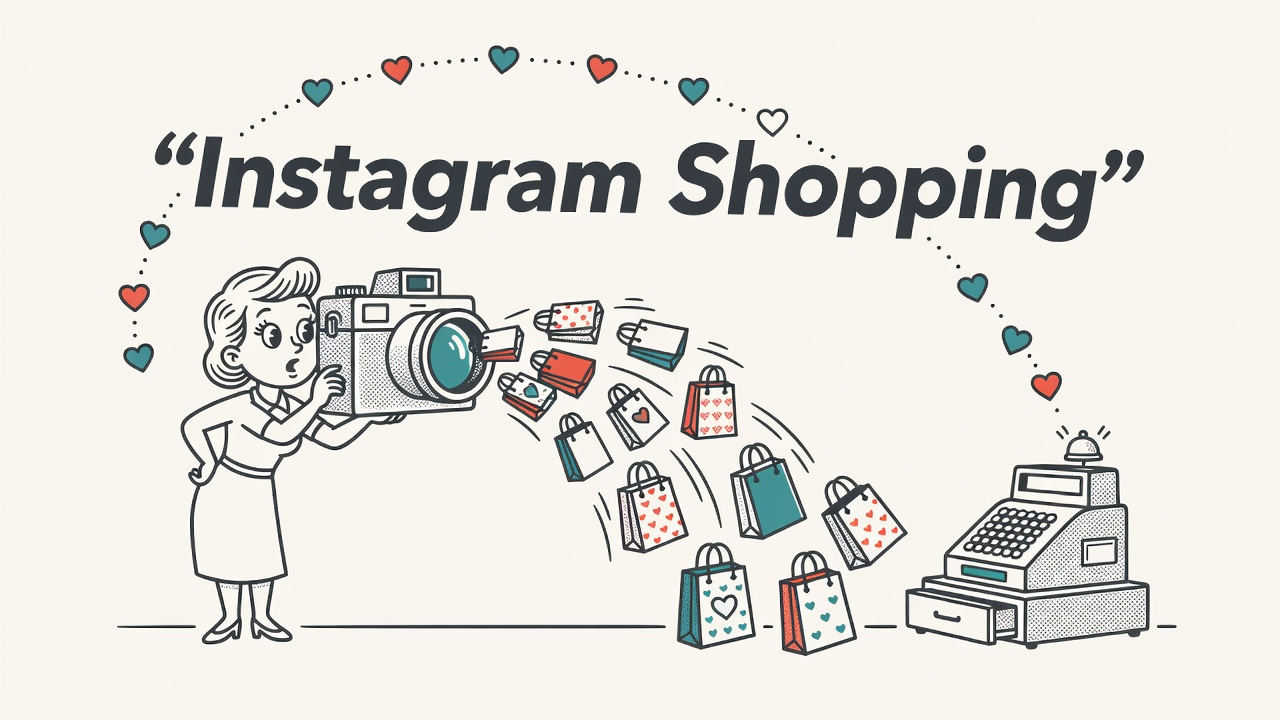
TL;DR: Instagram Shopping social commerce lets you tag products in posts, Stories, and Reels so buyers move from discovery to purchase in fewer taps. Setup runs through Meta Commerce Manager, and your store’s catalog is the engine that powers everything. Get the catalog right first, and the rest follows.
Instagram Shopping social commerce has quietly become one of the most direct paths between a scroll and a sale. If you sell physical products and your audience skews visual, understanding how to set it up and use it well is time well spent.
What Instagram Shopping Social Commerce Actually Is
Instagram Shopping is Meta’s free set of tools for tagging and selling physical products across posts, Stories, Reels, and a dedicated Shop tab on your profile. That definition stands on its own as a starting point.
Instagram social commerce is the broader concept. It describes the full shopping journey that happens inside Instagram, where discovery, evaluation, and purchase can occur through a Shop on your profile, product tags in content, creator affiliate posts, and, where eligible, in-app checkout. Social commerce is the category. Instagram Shopping is the implementation.
Instagram Shopping and Instagram Shop are not the same thing, even though the terms get used interchangeably. Instagram Shopping is the full infrastructure: product tags, shoppable posts, Stories stickers, Reels tags, live shopping, and the checkout layer. Instagram Shop is specifically the storefront tab on your profile page, the mini-store where a visitor can browse your entire catalog without leaving the app. You can have product tags active in your content before your full Shop tab is set up, and vice versa.
Both pull from the same underlying catalog, so the catalog is always the shared foundation. When people ask which one to set up first, the answer is the catalog. Everything else builds on top of it.
Eligibility Requirements for Instagram Shopping in 2026
You need a professional Instagram account, a connected Facebook Page, eligible physical products, and a business address in a supported country. Confirm you qualify before spending time on catalog setup.
Meta’s requirements have stayed consistent in their core structure. You need either a business or creator account on Instagram, a connected Facebook Page or Meta Business Manager account, and a business located in a supported market. Meta publishes its list of eligible countries in the Instagram Help Center. You must comply with Meta’s Commerce Policies and sell physical, eligible goods.
Common rejection reasons include selling ineligible product categories, having a profile that looks incomplete or untrustworthy, linking to a website that does not work properly, or policy violations on the connected Facebook Page. A thin profile with few posts and no bio link gets rejected more often than an active one. Treat your Instagram presence as part of the application itself.
Product restrictions are specific. You cannot sell alcohol, tobacco, adult products, digital goods, services, or subscription products through Instagram Shopping. Anything requiring age verification or a prescription is out. If your catalog contains a mix of eligible and ineligible items, you can still apply; just make sure the restricted products are not tagged in shoppable content.
How to Set Up Instagram Shopping and Your Product Catalog
Setup runs through Meta Commerce Manager: create a shop, connect your Facebook Page, build a product catalog, and submit for review. Approval typically takes a few days.
Start in Meta Commerce Manager. Create a shop, choose Instagram as a sales channel, and connect your Facebook Page. Then build your catalog. You can upload products manually using a spreadsheet, set up a data feed that updates automatically, or connect a platform like Shopify, which syncs your existing product data directly. The Shopify Instagram integration is one of the cleaner options if you already run your store there, because catalog updates in Shopify push to Meta automatically and keep prices and inventory in sync.
Once your catalog has products, go to your Instagram profile settings, tap Creator or Business, then Shopping, and select the catalog you just built. Submit for review. When approval comes through, the Shopping bag icon appears on your profile and you can begin tagging products in content.
The product catalog in Meta Commerce Manager is the single source of truth for everything Instagram Shopping social commerce does. Product titles, descriptions, images, prices, and availability all pull from it. Keeping it accurate is ongoing work, not a one-time task. Run a catalog audit any time you update pricing or discontinue a product; stale data in the catalog shows up as tagged content pointing to sold-out or mispriced items.
Worth Knowing: Catalog quality is the most overlooked part of Instagram Shopping setup. Images must be square or portrait and product-only, titles must match what is on your website, and descriptions should include the words buyers actually search. A clean catalog with accurate data gets approved faster and converts better once it is live.
How Product Tags Work Across Posts, Stories, and Reels
Product tags link a catalog item to content so viewers tap through to product details or purchase. The mechanic is the same across formats, but each content type handles tags a bit differently.
In feed posts, you tap to add a product tag while creating the post, the same way you would tag a person. Up to five products per image, or twenty products per carousel. Each tag shows a small shopping bag indicator. Viewers tap the tag to see the product name and price, then tap again to go to the product page or checkout.
In Stories, shoppable stickers work the same way. Add a product sticker, link it to a catalog item, and the sticker appears as an interactive element viewers can tap. Stories disappear after twenty-four hours unless saved to a Highlight, so shoppable Highlights on your profile serve as a persistent, browsable library of tagged products.
Shoppable Reels use product tags placed during editing. Reels have strong organic reach, which makes them one of the higher-value formats for Instagram Shopping social commerce. A Reel showing a product in use with a visible tag reaches people who were not already following you, turning a branding asset into a discovery and purchase tool in one step. Salsify’s commerce content research consistently shows that product content with context, meaning a product in use rather than a white-background shot, drives stronger engagement on social formats.
Pro tip from Ronen Abudi, e-commerce and GEO specialist (ronenabudi.com): Pin your best-performing shoppable Reel to the top of your profile. New visitors who land on your profile see it first, and a Reel that shows the product working beats a static grid post every time for warm-up and conversion.
How Instagram In-App Checkout Works
Instagram in-app checkout lets US buyers complete a purchase without leaving the app. Outside the US, product tags route buyers to your external website instead. Don’t delay your Shopping setup waiting for in-app checkout to reach your market.
When in-app checkout is available, a buyer taps a tagged product, sees the product detail page hosted inside Instagram, adds to cart, enters shipping and payment details once, and buys. Meta stores the payment information for repeat purchases, so the second transaction is faster.
In-app checkout is available in the United States and a limited number of other supported markets. The in-app version reduces friction, which is why it tends to convert at a higher rate where it is available. For sellers outside those markets, the website redirect is the standard path and a perfectly workable one.
For in-app checkout, Meta collects a selling fee on each transaction. Check the current fee schedule in Meta’s Commerce policies before deciding whether the in-app route makes sense for your margins. For lower-margin categories, the website redirect may be the better default even where in-app is available.
Instagram Shopping Social Commerce: Measuring Performance
To measure Instagram Shopping social commerce results, start with Instagram Insights for product page views and tag clicks, then add Meta Pixel to track what buyers do after they tap through to your site.
Meta Pixel tracks add-to-cart events, checkout starts, and purchases that happen after someone taps through from a shoppable post. Without it, you’re flying with one eye closed. In Google Analytics 4, set up the Meta channel grouping so Instagram Shopping traffic is attributed to social commerce rather than lumped into direct or referral. Use UTM parameters on your product URLs in Commerce Manager so GA4 can distinguish shoppable post clicks from regular profile link clicks.
The metric that matters most is your Shopping conversion rate: product page views divided by completed purchases. A high view count with low purchases usually points to a pricing problem, a weak product page on your site, or a mismatch between what the content shows and what the buyer finds when they arrive. Run that diagnosis before scaling spend on any Shopping content. Social commerce conversion rates are typically lower than direct-search traffic because you are reaching browsers rather than active shoppers; when tag clicks are healthy but purchases are thin, the gap is usually in the post-click experience, not the content. For in-app checkout sellers, Commerce Manager adds order volume and revenue data directly.
Tactics That Turn Instagram Shopping Into a Sales Machine
Setup gets you live. These four tactics are what separate a store that generates consistent revenue from one that never gains traction after launch.
Post Shoppable Content on a Consistent Cadence
A cadence is not a posting frequency target. It is a repeating content mix: educational Reels showing your product in use, Stories-based promotions, and feed posts anchored to catalog staples. Rotating these formats keeps your Shopping feed active and signals to the algorithm that your account is worth distributing. A practical starting point is two to three shoppable Reels per week, daily Stories with at least one shoppable sticker, and a feed post whenever you launch or restock a product. Adjust from there based on what your Insights show driving tag clicks.
Amplify Best-Performing Shoppable Posts With Paid Spend
Organic reach is unpredictable. Paid amplification is how you make Instagram Shopping more consistent. When a shoppable Reel or post outperforms your average on engagement, boost it from Instagram or promote it as a Shopping ad in Meta Ads Manager. Shopping ads send buyers directly to your product page or in-app checkout, cutting the steps between discovery and purchase. Start with a small daily budget on your proven organic winners rather than creating ads from scratch; a post that already converts organically tends to extend that performance when paid reach is added.
Activate Creator Affiliate Links
Instagram’s creator affiliate program lets eligible creators tag your products and earn a commission on sales. For a seller, this means distribution through accounts your target buyer already follows, with no upfront content creation cost. Set your affiliate commission rate in Commerce Manager and invite creators whose content already fits your category. A handful of mid-size creators with an audience that matches your buyer profile will typically outperform a single large creator with a broad, less-targeted following.
Plan Campaign Windows Around Seasonal Demand
Instagram Shopping performs better when content matches what buyers are already searching for. Seasonal campaigns, a holiday gift guide pinned as a Highlight, a clearance Reel timed to end of season, a back-to-school push, give your shoppable content urgency that evergreen posts do not. Build a simple content calendar: identify your highest-demand windows for the year, plan shoppable content in advance, and schedule paid amplification to start a few days before each peak. A clean data feed makes swapping in seasonal hero products fast.
Quick Takeaways
- Instagram Shopping social commerce covers all shoppable formats on Instagram: posts, Stories, Reels, Lives, and the Shop storefront tab on your profile.
- Catalog quality is the foundation. Accurate titles, clean images, and synced inventory determine whether your Shopping setup converts or stalls.
- In-app checkout is only available in select markets; outside those, product tags route buyers to your website to complete the purchase.
- Connect Meta Pixel and use UTM parameters on product URLs so you can measure conversion from Instagram Shopping in both Meta and GA4.
- Beyond setup, consistent content cadence, paid amplification of top-performing posts, creator affiliate activation, and seasonal campaign planning are the levers that move Instagram Shopping from passive catalog to active revenue channel.
Frequently Asked Questions
- What is the difference between Instagram Shopping and Instagram Shop?
- Instagram Shopping is the full set of commerce features on Instagram: product tags in posts, Stories, Reels, and live video, plus the checkout layer. Instagram Shop is specifically the storefront tab on your profile where visitors can browse your catalog without leaving the app. Both draw from the same product catalog in Meta Commerce Manager, so accurate catalog data powers both equally.
- Which products are not allowed in Instagram Shopping?
- Meta prohibits several categories from Instagram Shopping, including alcohol, tobacco, prescription drugs, adult products, digital goods, services, and subscription-based offerings. Anything requiring age verification or a professional license is also excluded. Physical, in-stock products in most general merchandise categories are eligible. Check Meta’s Commerce Policies before submitting your catalog, particularly if you sell in health, beauty, or wellness categories where rules are detailed.
- How does Instagram in-app checkout work for buyers?
- A buyer taps a product tag, views the detail page inside Instagram, selects a variant, and completes payment using stored Meta Pay credentials without leaving the app. Meta saves payment and shipping details after the first purchase, making repeat transactions faster. In-app checkout is currently limited to the United States and select other markets, so buyers outside those regions are sent to your website to finish the purchase instead.
- How do I measure whether Instagram Shopping is actually driving sales?
- Check Instagram Insights for product page views and tag clicks. Connect Meta Pixel to your store so you can track add-to-cart and purchase events after a buyer taps through. In GA4, use UTM parameters on your Commerce Manager product URLs so Instagram Shopping traffic is separated from other Instagram traffic. Your Shopping conversion rate, product page views divided by completed purchases, is the clearest performance signal.
- What are the eligibility requirements for Instagram Shopping in 2026?
- You need a professional Instagram account, a connected Facebook Page or Meta Business Manager, a catalog of eligible physical goods, and a business in a supported market. Your profile needs a working website link, accurate business information, and a posting history that shows an active brand. A complete, consistent profile improves your approval odds considerably.