

TL;DR: Social commerce instagram shopping keeps the entire buying journey inside the app, from first scroll to payment confirmation. Setting up Instagram Shops, tagging products in every post and Reel, and activating in-app checkout removes friction at every step. Brands treating Instagram as a full storefront rather than just an ad channel are pulling ahead fast.
What Social Commerce Instagram Shopping Actually Means
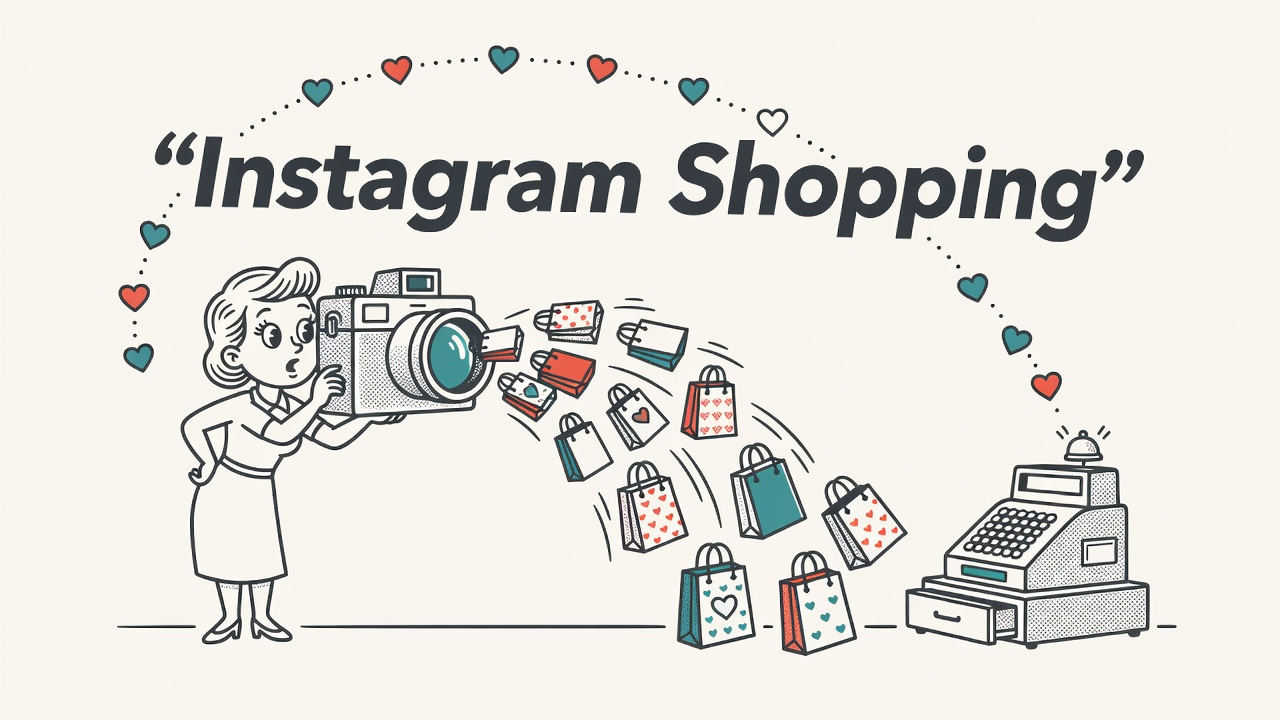
Social commerce instagram shopping is the practice of completing an entire purchase journey inside Instagram without touching an external website. Discovery, product browsing, and checkout all happen in one app. That shift matters enormously for sellers because every extra step between inspiration and payment costs you a percentage of buyers. Keeping the transaction inside the environment shoppers are already comfortable in removes the single biggest source of drop-off in modern ecommerce.
Traditional ecommerce relies on interruption. You run an ad, the shopper clicks out, your site loads, and somewhere between slow pages and unfamiliar layouts a large chunk of those visitors leave. Social commerce flips that model. Instagram’s native shopping infrastructure meets buyers where they already are and gives them a reason to stay. The discovery, the social proof, the product details, and the purchase all happen in a single continuous experience.
The numbers confirm this is not a niche behavior. Approximately 130 million Instagram users tap on shopping posts every month, and research from Sprout Social cited in social commerce analyses indicates that over 60% of users discover new products on Instagram. A significant portion of those discoveries lead to in-app purchases. That makes Instagram one of the most efficient discovery-to-conversion channels available to online sellers right now.
Setting Up Instagram Shops: Your In-App Storefront
Instagram Shops is the native storefront infrastructure built into the platform. It gives your brand a dedicated space where people can browse your full catalog, explore curated collections, and buy without ever leaving Instagram. Shoppers can reach your Shop from your profile page, from product tags in any piece of content, or from the Shop tab on Instagram’s home screen, which surfaces shoppable products based on each user’s interests and browsing history.
To get started, you need an Instagram Business or Creator account connected to a Facebook Business Page, with your products listed in a catalog through Meta Commerce Manager. Once Instagram approves your Shop, products become taggable across every content format on the platform. Organize your catalog into collections that match how your customers think: by occasion, by product category, or by bestseller tier. A well-structured Shop also performs better in Instagram’s Shop tab recommendations, giving your products organic reach beyond your existing followers.
The Shop tab itself is an underrated distribution channel. It surfaces shoppable content to users who have never seen your account before, based on what Instagram predicts they want to buy. A product with strong visuals, a clear title, and competitive pricing can appear in front of high-intent shoppers at no cost. Getting your catalog into that feed requires a complete product setup in Commerce Manager, including accurate product descriptions, high-quality images, and clean inventory data.
Social Commerce Instagram Shopping: Shoppable Content Formats
Shoppable posts are the engine of social commerce instagram shopping. When you tag a product in an image, video, Reel, or Story, Instagram overlays a shopping icon that users can tap to see the product name, price, and a path to purchase. The friction between seeing a product and starting the checkout shrinks to a single tap. That is where the conversion power lives. Every piece of content you publish without a product tag is a missed opportunity to connect engagement directly to revenue.
Reels are currently the highest-reach organic format on Instagram, and they are fully shoppable. Tag products in your Reels and shoppers can save those items, share them, or go straight to checkout while the video is still playing. Stories support shoppable product stickers that work the same way. Instagram’s Help Center covers product tagging across all formats in detail, including how to tag multiple products in a single post and how to manage tags on existing content after you set up your Shop.
Live shopping is the most interactive shoppable format available. During an Instagram Live, you can feature products from your catalog in real time, and viewers can tap to buy while watching. It is particularly effective for product launches, limited-time offers, and demonstration-heavy products where seeing the item in action drives the purchase decision. Community atmosphere and time pressure work together to push conversions. Every major content format now supports product tagging, so publishing content that does not connect back to your Shop is a habit worth breaking immediately.
Pro Tip: Tag products in your top-performing organic Reels before you spend a dollar on promotion. High-engagement content already has the algorithm’s attention. Adding shoppable tags to those posts turns existing reach into direct revenue with zero additional ad spend. Open Instagram Insights right now, find your top five Reels by reach or saves, and add product tags to each one today.
In-App Checkout, Creator Affiliates, and UGC
In-app checkout is where the social commerce instagram shopping experience reaches its peak efficiency. Where available, it lets buyers store their payment details once and complete all future Instagram purchases with autofill, never opening a browser. Meta’s own data shows consistently that reducing checkout steps increases completed purchases. Even where full in-app checkout is not yet available in your market, the shorter path from shoppable post to a mobile-optimized product page still outperforms a cold click to a website homepage.
Creator affiliates add a performance-based layer to your strategy. Instagram’s affiliate tool lets creators tag your products in their own content and earn a commission on resulting sales. You set the rate through Meta Commerce Manager. Creators handle production. Your products appear in content that audiences already trust. Focus on creators whose followers buy the type of product you sell, not just creators with large followings. A niche creator with 25,000 engaged followers in your category will typically outperform a broad lifestyle account with half a million passive ones.
User-generated content is social proof in its most persuasive form. When real customers post photos or videos featuring your products and give you permission to reshare, that authenticity outperforms polished brand content in almost every test. Reshare UGC and tag the same products you would in original posts. You can also extend the value of Instagram UGC beyond the app by embedding shoppable galleries into your website product pages. Tools like Taggbox allow you to create embedded galleries where site visitors see real Instagram posts featuring your products and can tap through to buy, bridging social commerce into your traditional store experience.
Social Commerce Instagram Shopping: Ads and Performance Tracking
Instagram Shopping ads amplify everything you have built organically. Photo ads, video ads, Reels ads, and dedicated shopping ad formats can all point directly to your Instagram Shop or to specific product detail pages. Because shoppers stay in-app, the path from ad to checkout is shorter than sending traffic to an external website, which typically improves your return on ad spend. Meta’s ad tools for Instagram include retargeting options that let you reach people who visited your Shop, tapped product tags, or added items to their cart but did not complete a purchase.
Instagram’s native analytics give you a clear picture of how your Shop and shoppable content are performing. Inside Instagram Insights, you can see which posts drove the most product page views, which products received the most saves, and where shoppers dropped off before completing a purchase. These metrics tell you which content formats are converting, which products attract attention but do not close, and where to concentrate your tagging and ad investment going forward.
The brands generating consistent revenue through social commerce instagram shopping share one core habit: they measure everything and act on what they find. They track each format, each product tag, and each creative variation. They double down on what the data confirms is working and cut what is not. They test new formats like Collab posts and Live shopping in short sprints, then evaluate results before scaling. Consistent iteration built on real performance data is the actual strategy behind results that look effortless from the outside.
Quick Takeaways
- Social commerce instagram shopping keeps the entire buying journey inside the app, removing the friction that causes drop-off when shoppers are sent to external websites.
- Set up Instagram Shops through Meta Commerce Manager, organize products into logical collections, and enable in-app checkout where available to minimize steps to purchase.
- Tag products in every content format: Feed posts, Reels, Stories, and Live broadcasts all support shoppable product tags that reduce the gap between discovery and sale.
- Combine creator affiliates, reshared UGC, and Instagram Shopping ads to expand reach and add authentic social proof at every stage of the discovery-to-purchase journey.
- Use Instagram Insights to track Shop performance by product and content type, then refresh underperforming listings and double down on formats that are converting.
Frequently Asked Questions
- What is social commerce Instagram shopping and how does it differ from regular ecommerce?
- Social commerce Instagram shopping is the process of discovering, evaluating, and purchasing products entirely within the Instagram app, without being redirected to an external website. Regular ecommerce requires shoppers to click off-platform, wait for a site to load, and navigate an unfamiliar checkout. Instagram’s native Shops, product tags, and in-app checkout collapse that funnel into a single continuous in-app experience, which reduces friction and typically improves conversion rates.
- Who is eligible to set up an Instagram Shop?
- To set up an Instagram Shop, you need an Instagram Business or Creator account linked to a Facebook Business Page, and your products must be listed in a catalog through Meta Commerce Manager. Your business must comply with Instagram’s commerce policies and operate in an eligible market. Once approved, you can tag products across Feed posts, Reels, Stories, and Live broadcasts, and enable checkout options for customers shopping through your content.
- How do shoppable posts work on Instagram?
- Shoppable posts let you tag one or more products from your catalog in any image, video, Reel, or Story. When a user taps the shopping icon or product sticker, they see the product name, price, and a button to view full details or start a purchase. If in-app checkout is enabled in your market, the entire transaction is completed inside Instagram without the buyer visiting an external website at any point in the process.
- What are Instagram creator affiliates and how can they help my shop?
- Instagram creator affiliates are content creators who tag your products in their own posts and earn a commission on the sales they generate. You set the commission rate through Meta Commerce Manager, and creators handle all content production on their end. This gives your products access to engaged, niche audiences through voices those audiences already trust, and because the arrangement is performance-based, you only pay when a sale actually results from the creator’s content.
- How can I measure whether my Instagram Shop is performing well?
- Use Instagram Insights to track product page views, saves, and purchase completions for each item in your catalog. Review which content formats, such as Reels versus standard Feed posts, generate the most taps on product tags. Monitor checkout drop-off to identify where shoppers abandon the flow before completing a purchase. Refresh underperforming product listings with better images or sharper titles and compare results over a four-week testing window before drawing conclusions.