
Run Your Store on Autopilot: Operations and Automation for Small Teams
TL;DR: Independent store owners waste thousands of hours on tasks a $50/month tool can handle. This guide covers the operations stack in build order: order fulfillment first, then inventory control, customer service, email marketing, and accounting, with analytics layered on as you scale. Get the sequence right and you can run a seven-figure store with a team of two or three.
This page is for independent store owners running Shopify, WooCommerce, BigCommerce, or any other platform who are tired of being the bottleneck in their own business. If you are still manually copying tracking numbers, answering the same five customer questions every day, or reconciling orders in a spreadsheet, this is your operations overhaul. You will find specific tools, realistic cost expectations, and a sequenced build-out plan. No agency jargon, no enterprise budgets. Just what actually works for small teams who need to do more with fewer hands.
What “Running on Autopilot” Actually Means
Autopilot does not mean zero effort. It means you stop doing low-value repetitive work and focus your time on decisions only you can make: product sourcing, supplier relationships, brand direction, paid media strategy. Every hour you spend printing shipping labels or manually updating inventory is an hour you are not spending on the work that actually grows revenue.
The goal is to build a system where a customer can place an order at 2 a.m. on a Sunday, receive an automated confirmation email with their tracking number by Monday morning, get a follow-up review request a week later, and have the revenue reconciled in your accounting software without you touching a single step. That is not a fantasy. Stores doing under $1 million a year can build this in a weekend with the right tools.
The mistake most small operators make is automating in the wrong order. They set up fancy email flows before they have reliable fulfillment. They buy analytics software before they have clean data. The right build sequence is: fulfillment first, then inventory, then customer service, then email, then accounting and reporting. Each layer feeds the next. Skip ahead and you create messy automations built on unreliable foundations.
Order Fulfillment: Speed Without Headcount
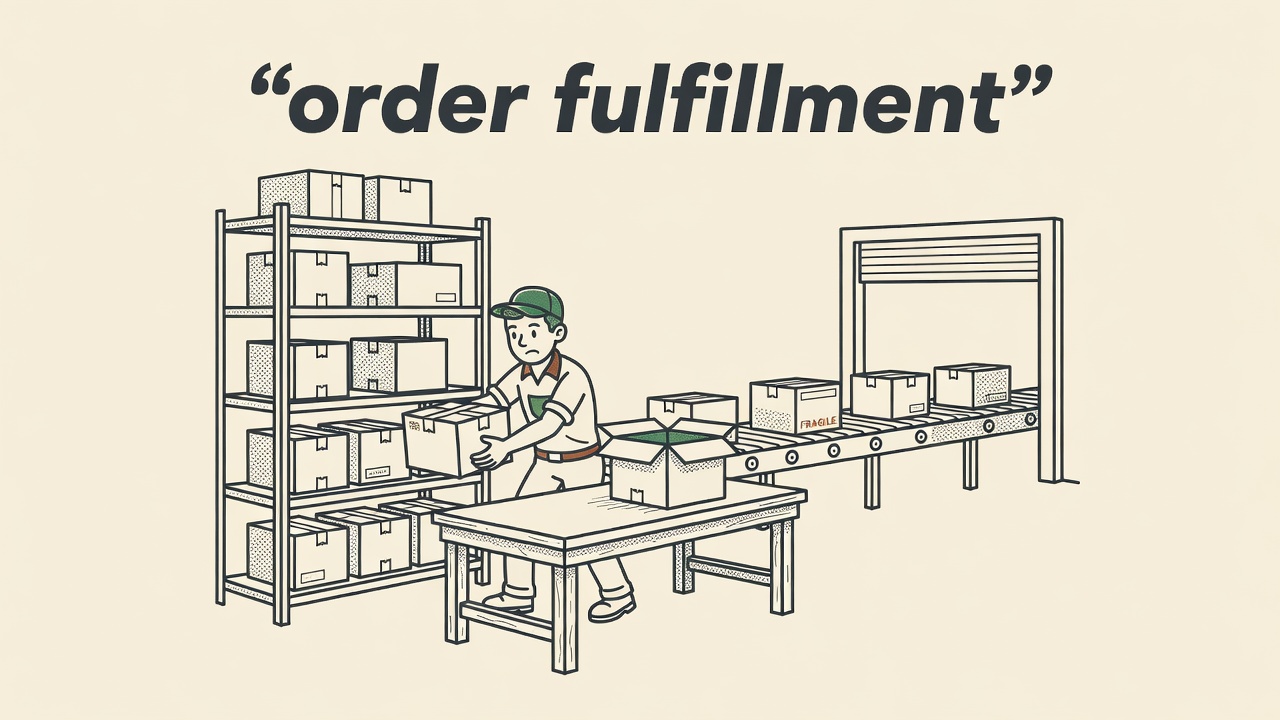
Fulfillment is where most small stores bleed time. Printing labels one at a time, manually entering carrier accounts, handling returns by email thread. The fix is a multi-carrier shipping platform. ShipStation is the standard choice at $9.99 to $229.99 per month depending on volume. It connects to every major selling channel, auto-applies your cheapest carrier rate, batch-prints labels, and sends tracking updates to customers automatically. For very low volumes, Pirateship is free and gives you access to USPS Commercial Plus pricing with no monthly fee.
If you are shipping more than 500 orders per month and warehousing is becoming a real constraint, third-party logistics (3PL) is worth a hard look. Services like ShipBob handle receiving, storage, pick-and-pack, and shipping on your behalf. You integrate your store, set your SKU data, and orders flow out automatically. You pay per pick, per storage bin, and per shipment. The math often works in your favor once you account for your own labor, packaging materials, and warehouse space costs. 3PLs also put your inventory geographically closer to customers, which cuts transit times without cutting margins.
Post-purchase notifications. Klaviyo and Omnisend let you build multi-step flows: order confirmation within two minutes of purchase, shipping notification when the label is created, delivery confirmation 24 hours after the carrier marks it delivered, and a review request five to seven days post-delivery. Build it once and every customer gets that consistent experience with no manual trigger.
Returns and exchanges. AfterShip Returns and Loop Returns both automate the return workflow. A customer submits a return request online, the tool checks your return policy rules, generates a prepaid label, and routes the refund or exchange without manual approval. Loop specifically handles exchanges by placing the new order in your queue automatically.
Action: Connect ShipStation to your store this week. Configure at least two carrier selection rules based on weight and destination. Enable Klaviyo or your platform’s native shipping notification flow.
Numbers That Matter
- Baymard Institute (2024) measured average ecommerce cart abandonment at 70.19 percent. Automated cart recovery sequences address buyers who leave before completing a purchase.
- “Where is my order” inquiries typically make up a large share of total support volume for small stores. A single shipping notification automation removes most of them without any human involvement.
- Stores selling on two or more channels without an inventory sync tool are far more exposed to overselling than stores running automated multichannel sync.
- A core automation stack covering shipping, post-purchase email flows, and bookkeeping sync typically costs a small store a few hundred dollars a month at most and commonly recovers five to fifteen hours of manual work per week.
Inventory Management: Stop Overselling Before It Starts
Overselling is one of the fastest ways to damage customer trust. A customer places an order, gets excited, and then receives an email saying the item is out of stock. That experience is hard to recover from. The solution is inventory automation, and it is more accessible than most small operators assume.
Single-channel stores. If you only sell on one platform, the native inventory tools are usually sufficient. Shopify tracks quantity and blocks new purchases when stock hits zero. WooCommerce does the same with stock management enabled. The gaps are human: receiving new stock and forgetting to update quantities, or processing a return without restocking the unit. Fix these with a Zapier automation that creates a review task when a return is approved, and set a low-stock threshold alert in your platform settings.
Multi-channel stores. Selling on Shopify, Amazon, and Etsy simultaneously is where manual inventory falls apart fast. You need a multichannel inventory tool. Linnworks, Cin7, and Extensiv (formerly Skubana) all sync quantities across channels in near real time. When an order comes in on Amazon, Shopify and Etsy update within minutes. This single automation eliminates the most common source of oversell complaints for multi-channel operators.
Reorder point alerts and purchase order drafts. Set a reorder point for each SKU in your inventory system. When stock drops below that threshold, the system sends an alert or, in more advanced setups, drafts a purchase order to your supplier automatically. Cin7 and Linnworks both support purchase order automation at higher plan tiers. You review and approve the PO in under two minutes rather than discovering a stockout when a customer complains.
Bundles and kits. Shopify does not handle bundle-level inventory natively. If a bundle sells and one component runs out, the bundle can still appear in stock. The Bundler app or Inventory Planner tracks each component separately and prevents bundle sales when any component is depleted.
Action: If you sell on more than one channel, connect a multichannel inventory tool this month. Set reorder alerts for your top twenty SKUs by volume. Audit bundle SKUs and confirm each component decrements separately on sale.
Customer Service Automation Without Losing Your Voice
The concern most small store owners have about automating support is legitimate: nobody wants their customers talking to a bot when something has gone wrong with their order. The right approach is not full automation. It is automating the 70 to 80 percent of tickets that are purely informational and routing the complex ones to a human immediately. Customers get faster answers. You spend your time on the conversations that actually need you.
The tools to know. Gorgias is built specifically for ecommerce and integrates directly with Shopify, WooCommerce, and Magento. It pulls order data into every ticket automatically so the customer’s full order history is visible the moment their email arrives. Gorgias rules can auto-close WISMO tickets by sending a tracking link with no human involvement. Tidio offers similar automation at a lower price point and includes live chat with AI-assisted responses. Zendesk and Freshdesk are options for stores needing more customization, though both require more setup time.
Start with macros, not AI. Before setting up any AI features, write responses for your ten most common questions: order status, return process, shipping timelines, product sizing, wholesale inquiries, and damaged item reports. Load them as macros in Gorgias or Tidio. A team member selects the right macro, reviews the draft, and sends. That brings average response time down to under a minute per ticket without any AI involved.
AI routing and auto-resolve. Gorgias’s AI agent feature can fully resolve simple tickets without human review. Tidio’s AI layer does the same. The key is conservative scoping at first: set the AI to handle tracking requests and return policy questions autonomously, and route everything else to a human queue. Expand the AI’s scope only after you have confirmed its accuracy over two to three weeks of live volume.
Keeping it personal. The personal touch does not come from writing every email yourself. It comes from tone consistency, fast response times, and handling escalations well. An automated tracking reply that arrives in two minutes leaves a better impression than a hand-written reply that arrives two days late.
Action: Write macros for your ten most common support questions this week. Load them into Gorgias or Tidio. Set up one automated rule: send the tracking link automatically when a customer emails asking about order status.
Bookkeeping and Finance: Stop Entering Numbers Manually
Bookkeeping is the automation opportunity most small store owners leave untouched the longest. Manual data entry between your store and your accounting software is slow, error-prone, and produces zero revenue for every hour it consumes.
Syncing your store to your books. A2X is the standard tool for connecting Shopify, Amazon, Etsy, and Walmart payouts to QuickBooks or Xero. It groups sales, refunds, fees, and adjustments into clean summary entries that match your actual payout deposits exactly. Synder does the same and handles multi-currency stores well. Both tools eliminate manual entry of sales totals and turn monthly reconciliation into a review task instead of a data entry task.
Expense categorization. QuickBooks and Xero both support bank rules that automatically categorize recurring expenses by vendor name. Set a rule once: any transaction from Meta is categorized as Advertising, any transaction from ShipStation is Shipping Expense, any charge from your supplier is Cost of Goods Sold. After 60 days of rule training, the vast majority of transactions categorize automatically. You review and approve instead of entering from scratch.
Sales tax compliance. TaxJar and Avalara both automate sales tax calculation, collection, and filing across states. TaxJar starts at $19 per month. Avalara scales for higher volume and more complex multi-state situations. Either tool pays for itself the first time you avoid a nexus compliance issue or save the hours of manually calculating multi-state liability.
Cash flow visibility. Float and Pulse both connect to QuickBooks or Xero and project your cash position 30 to 90 days forward using your actual revenue and expense data. They do not automate a transaction, but they replace hours of manual spreadsheet work and surface cash shortfalls before they become emergencies.
Action: Connect A2X or Synder to your store and accounting platform this month. Set up bank rules for your five largest recurring expense categories. Review categorization after 30 days and add rules for anything still landing in uncategorized.
Zapier, Make, and Native Apps: Choosing the Right Tool
Every store owner hits the same question eventually: should I use a dedicated ecommerce app or connect things with a general tool like Zapier or Make? The answer depends on what you are connecting and how complex the logic needs to be.
Use platform-native tools first. Shopify Flow is a no-code automation builder available on all current Shopify plans. It handles a long list of automations without any third-party connection: tag customers after their third purchase, hide a product when inventory hits zero, send an internal Slack alert for orders over $500, apply a discount when a specific tag is added. For Shopify merchants, Flow is the first tool to reach for. WooCommerce has AutomateWoo, a similar plugin-based tool. These tools set up faster, cost less than most alternatives, and do not add another API dependency to maintain.
Use Zapier for simple cross-app connections. Zapier bridges applications that do not integrate natively. Your customer service platform does not talk to your inventory system. Your contact form does not connect to your CRM. Zapier closes those gaps with a point-and-click interface that requires no code. The free plan covers up to 100 tasks per month. Paid plans start around $20 per month for most small store use cases. Zapier is the right tool for straightforward two-step connections: when X happens in App A, do Y in App B.
Use Make for complex multi-step workflows. Make (formerly Integromat) handles workflows with conditional logic, loops, and multiple branches more cleanly than Zapier. If your automation needs to check a condition, take a different path based on the result, and process multiple records in a single run, Make handles that more gracefully. It is also cheaper per operation than Zapier at comparable volumes. The tradeoff is a steeper learning curve. Non-technical operators find Zapier easier to start with and move to Make only when they hit real limitations.
The practical rule. Check for a native app or platform feature first. If nothing exists, try Zapier. Move to Make only when the logic is too complex for Zapier to handle cleanly. Most stores end up using a mix of all three, each doing what it does best.
Action: For each task you want to automate, check Shopify Flow or WooCommerce AutomateWoo first. If no native tool exists, check Zapier’s integration directory. Build in Make only when the workflow requires branching logic or batch processing.
A Realistic Automation Stack: Cost, Setup, and Mistakes to Avoid
What a one or two person store actually needs. You do not need every tool at once. A lean, functional stack typically includes:
- Shopify Flow or WooCommerce AutomateWoo: free or low cost, always first
- ShipStation: $9 to $99 per month depending on order volume, handles label generation and carrier rules
- Klaviyo: free up to 250 contacts, then $20 to $60 per month for most small stores, covers post-purchase flows and abandoned cart sequences
- Gorgias or Tidio: $10 to $60 per month, handles support routing and macros
- A2X: $19 to $49 per month, syncs store payouts into QuickBooks or Xero
- Zapier: $0 to $20 per month for bridging any remaining gaps
Total range: $58 to $288 per month. For a store doing $300k per year, that is under 0.1 percent of revenue in exchange for five to fifteen hours of recovered manual work each week.
How long setup actually takes. A realistic timeline starting from scratch:
- Day 1: Connect ShipStation, configure two to three carrier selection rules, test with a live order
- Day 2: Build Klaviyo post-purchase flow and abandoned cart sequence
- Day 3: Load customer service macros into Gorgias, set up one auto-response rule
- Days 4 to 7: Connect A2X, run it against last month’s transactions, review categorization
Most operators stand up the core stack in one weekend plus a few evenings. Multichannel inventory tools take longer. Plan two to four weeks if you are syncing across three or more platforms, because SKU mapping requires careful setup to prevent sync errors.
The mistakes that cost you orders. The most common automation failure is going live without testing with a real transaction first. A shipping rule that selects the wrong carrier, an inventory sync that fires on a 15-minute delay, a returns flow that sends the wrong label template. Run a test order through every new automation before trusting it with real customers.
The second most common mistake is building rules with no fallback for orders that match no condition. Every automation needs a manual review queue for exceptions. If a rule does not apply and the order has nowhere to go, you find out when a customer emails about a delayed shipment.
The third: stacking five automations at once. Roll out one at a time. When something breaks, you need to be able to isolate which automation caused it. Five simultaneous launches make that impossible.
Action: Map the stack above against what you already pay for. Add the pieces that close your biggest time drain first. Run a live test order through every new automation before marking it complete.
Action Checklist
- Run a one-week time audit to identify your top three repeated tasks by hours consumed
- Connect ShipStation or your 3PL to your store and configure at least two carrier selection rules
- Enable Shopify Flow or WooCommerce AutomateWoo and set up one internal workflow (low-stock alert or high-value order flag)
- Build a post-purchase email flow in Klaviyo or Omnisend: order confirmation, shipping notification, delivery confirmation, review request
- Write macros for your ten most common support questions and load them into Gorgias or Tidio
- Set reorder point alerts for your top twenty SKUs in your inventory system
- If selling on two or more channels, connect Linnworks, Cin7, or Extensiv for multichannel inventory sync
- Connect A2X or Synder to sync store payouts into QuickBooks or Xero
- Set up bank categorization rules for your five largest recurring expense categories
- Test every new automation with a live or simulated order before considering it done
- Build a manual review queue for orders that do not match any automation rule
The Bottom Line
A small ecommerce team that automates its core operations does not just save time. It becomes more consistent. Every customer gets the same order confirmation, the same shipping notification, the same return experience. That consistency at volume is something a manual workflow can not deliver reliably.
Start with fulfillment. One weekend of setup in ShipStation and Klaviyo returns hours every week after that. Add inventory controls next so you stop discovering stockouts from customer complaints. Layer in customer service macros and bookkeeping sync once the foundation is solid.
The goal is not to automate everything. It is to protect your time for the decisions, relationships, and creative work that actually require you, while the repetitive operations run in the background without you touching them. Pick the top time drain from your audit this week. Automate that one thing first.
Frequently Asked Questions
- What parts of running an online store can actually be automated?
- The most reliable candidates are order confirmations, shipping label generation and carrier selection, inventory updates across channels, abandoned cart email sequences, post-purchase review requests, customer support ticket routing, return label generation, and bookkeeping reconciliation from payouts. Tasks that require judgment, such as resolving complaints or making product buying decisions, still need a human to handle them well.
- How much does it cost to automate a small store’s operations?
- A functional core stack covering shipping automation, post-purchase email flows, customer service macros, and bookkeeping sync typically runs from under one hundred to a few hundred dollars per month. That covers ShipStation, Klaviyo’s starter tier, Gorgias or Tidio, A2X, and a Zapier paid plan. For most stores doing $150k or more in annual revenue, the time recovered pays for the stack many times over within the first month.
- How long does it take to set up basic store automation?
- The core stack, shipping rules, post-purchase emails, customer service macros, and bookkeeping sync, can be configured in one weekend plus a few evenings. Plan for one to two hours per tool for initial setup and testing. Multichannel inventory sync takes longer, typically two to four weeks if you are mapping SKUs across three or more platforms, because errors in that mapping cause real overselling problems.
- Can I automate customer support without losing the personal touch?
- Yes. The approach is to automate informational tickets, order status, tracking links, return policy, and shipping timelines, while routing complaints and escalations to a human immediately. Tools like Gorgias and Tidio handle this routing automatically. The personal touch comes from fast response times and well-handled escalations, not from manually writing every routine reply. Customers remember getting an accurate answer right away, not whether a person typed it.
- What automation mistakes cause orders or customers to fall through the cracks?
- Nearly all automation failures trace back to three mistakes: skipping a live test before launch, leaving unmatched orders with no fallback queue, and launching several automations at once. The automation stack section of this guide walks through how to avoid each one.
- Should I use a dedicated app or a tool like Zapier to connect my store?
- Check for a native tool first. Shopify Flow and WooCommerce AutomateWoo handle many common automations without third-party connections. Use Zapier when you need to connect two apps that do not integrate natively and the logic is a simple trigger-and-action. Use Make when the workflow requires conditional branching or processing multiple records in a single run. Most stores end up using a mix of all three approaches.